Component Reference
All components are registered globally in src/theme/MDXComponents.tsx — you can use them in any .mdx file without importing them.
ItemIcon
Renders a 32×32 pixel item icon. If the item has a wiki page, the icon is wrapped in a link. Vanilla minecraft: items link to the Minecraft Wiki.
Props
| Prop | Type | Default | Description |
|---|---|---|---|
id | string | — | Namespaced item ID (e.g. techreborn:copper_ingot, minecraft:stone). Accepts tag IDs from src/data/tags.json. |
size | number | 32 | Width and height in pixels. |
className | string | '' | Extra CSS class on the wrapper <div>. |
Example
<ItemIcon id="techreborn:copper_ingot" />
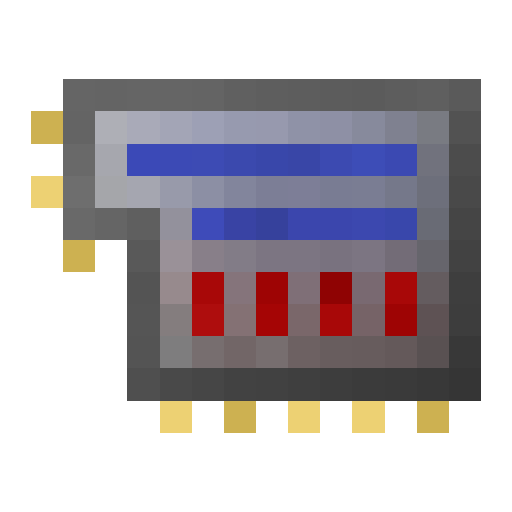
<ItemIcon id="techreborn:advanced_circuit" size={48} />

When to use
- Inline icons in prose or tables — one icon, no label.
- Inside crafting grid slots (the
Machinecomponent calls it internally). - Use
<ItemRef>when you want an icon plus a clickable name in running text.
ItemRef
Renders an inline icon + bold display name. If the item has a wiki page the whole element links there; vanilla minecraft: items link to the Minecraft Wiki. Use this in prose wherever you'd otherwise write <ItemIcon> followed by a manual name or link.
Props
| Prop | Type | Default | Description |
|---|---|---|---|
id | string | — | Namespaced item ID. Accepts tag IDs from src/data/tags.json. |
size | number | 20 | Icon size in pixels. |
name | string | — | Override the display name from items.json. |
showName | boolean | true | Set false to render icon only (same as <ItemIcon> but with ItemRef link logic). |
bold | boolean | true | Set false to render the name in normal weight. |
Example
Place the <ItemRef id="techreborn:industrial_blast_furnace" /> in the center of the bottom layer.
<ItemRef id="techreborn:grinder" name="Pulveriser" />
<ItemRef id="minecraft:redstone" />

When to use
- Inline item mentions in prose — replaces the
<ItemIcon> **[Name](./link)**pattern. - Use
<ItemIcon>when you only need the icon (no name), e.g. in crafting grids or navigation lists.
Machine
Renders a single crafting or machine recipe as a visual grid. Normally you won't call this directly — use RecipeFromData instead. Use Machine only when you need to hand-author a recipe that isn't in src/data/recipes.json.
Props
| Prop | Type | Default | Description |
|---|---|---|---|
config | MachineConfig | — | Recipe configuration object (see shape below). |
MachineConfig shape:
{
  id?: string;           // optional display label
  input: { id: string; qty?: number }[];
  output: { id: string; qty?: number }[];
  tool: string;          // namespaced machine/crafter ID
  meta?: {
    time?: number;       // ticks
    power?: number;      // E/t
    heat?: number | null;
    fluid?: { amnt: number; name: string };
  };
}
Example
<Machine config={{
  tool: 'minecraft:crafting_table',
  input: [
    { id: 'minecraft:iron_ingot' }, { id: 'minecraft:air' }, { id: 'minecraft:iron_ingot' },
    { id: 'minecraft:air' },        { id: 'minecraft:air' }, { id: 'minecraft:air' },
    { id: 'minecraft:air' },        { id: 'minecraft:air' }, { id: 'minecraft:air' },
  ],
  output: [{ id: 'techreborn:steel_ingot', qty: 1 }],
}} />
When to use
- Hand-authored recipes not in the data files.
- Prefer
RecipeFromDatafor anything that exists insrc/data/recipes.json.
RecipeFromData
Looks up a recipe by ID from src/data/recipes.json and renders it via Machine. Supports shaped crafting, shapeless crafting, vanilla cooking, and all techreborn: machine types.
Props
| Prop | Type | Default | Description |
|---|---|---|---|
id | string | — | Recipe key from src/data/recipes.json (e.g. techreborn:grinder/coal_to_dust). |
Example
<RecipeFromData id="techreborn:grinder/coal" />

When to use
- The default choice for showing any recipe. Keeps content synced with mod data automatically.
- If a recipe ID is missing, you'll see a red error box — check
src/data/recipes.jsonor runnpm run extract-data.
MachineRecipeList
Lists all recipes for a given machine type, each wrapped in a collapsible <details> element grouped by output name.
Props
| Prop | Type | Default | Description |
|---|---|---|---|
machine | string | — | Machine type — namespaced (techreborn:grinder) or short (grinder). Must match a type field in src/data/recipes.json. |
Example
<MachineRecipeList machine="grinder" />
When to use
- At the bottom of a machine reference page to list all recipes for that machine.
- Use
RecipeFromDatawhen you want to show one specific recipe inline in prose.
MachineStats
Renders a stat card row for a machine's power, buffer, tier, and slot counts. All props are optional — omit a prop to hide that stat.
Props
| Prop | Type | Default | Description |
|---|---|---|---|
power | number | — | Power draw in E/t. |
buffer | number | — | Internal energy buffer in E. |
tier | string | — | Machine tier label (e.g. LV, MV, HV). |
inputSlots | number | — | Number of input item slots. |
outputSlots | number | — | Number of output item slots. |
Example
<MachineStats power={2} buffer={1000} tier="LV" inputSlots={1} outputSlots={1} />
When to use
- Near the top of a machine reference page, after the description.
- Values come from
src/data/orTechRebornConfig.java— always cite them as defaults (server-configurable).
MultiblockShape
Renders a layer-by-layer view of a multiblock structure with a slider to step through layers. Data comes from src/data/multiblocks.json.
Props
| Prop | Type | Default | Description |
|---|---|---|---|
data | { layers: string[][][] } | — | Multiblock layer data. Each layer is a 2-D array of namespaced block IDs; use "air" for empty cells. |
Example
import multiblocks from '@site/src/data/multiblocks.json';

<MultiblockShape data={multiblocks["industrial_blast_furnace"]} />
When to use
- Multiblock reference pages only.
- Currently renders a top-down 2-D view; 3-D isometric view is planned.
VersionContent
Conditionally renders children only when version matches the active Docusaurus version. Currently only "1.20.1" content is rendered; all other versions are hidden.
Props
| Prop | Type | Default | Description |
|---|---|---|---|
version | string | — | The MC version string this block applies to (e.g. "1.20.1"). |
children | ReactNode | — | Content to render when the version matches. |
Example
<VersionContent version="1.20.1">
  This paragraph only appears in the 1.20.1 build.
</VersionContent>
When to use
- When a mechanic, value, or item differs between MC versions and you need to single-source the content.
- Only needed once multi-version support is active. For now, omit the wrapper unless you're explicitly marking version-specific content.
Cheat sheet
{/* Single icon */}
<ItemIcon id="techreborn:copper_ingot" />

{/* Icon at custom size */}
<ItemIcon id="techreborn:advanced_circuit" size={48} />

{/* Inline icon + name (links to wiki page if one exists) */}
<ItemRef id="techreborn:grinder" />

{/* Inline icon + name override */}
<ItemRef id="techreborn:grinder" name="Pulveriser" />

{/* Recipe from data */}
<RecipeFromData id="techreborn:grinder/coal" />

{/* Machine stats block */}
<MachineStats power={2} buffer={1000} tier="LV" inputSlots={1} outputSlots={1} />

{/* All recipes for a machine */}
<MachineRecipeList machine="grinder" />

{/* Version-gated content */}
<VersionContent version="1.20.1">Only in 1.20.1</VersionContent>